On November 24, 2026, Anthropic began rolling out a beta that lets users install some Claude Artifacts as apps on Mac and Windows. The apps get their own icons and windows, and they can open outside the Claude chat interface. But they still require an internet connection and a signed-in Claude account to open. Anthropic has made an easier way to distribute small tools, not a way to export software that runs independently.
The new icon doesn’t make it offline
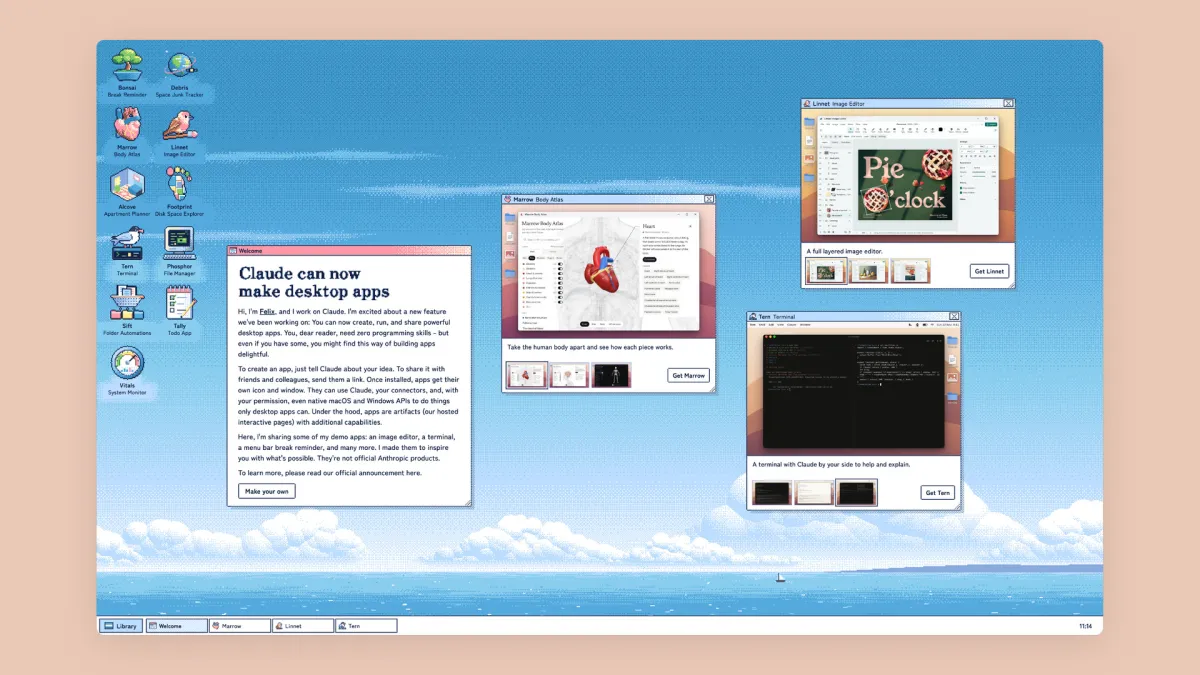
Artifacts are reusable things Claude builds in a conversation, such as dashboards or small interactive tools. Anthropic’s announcement shows installed examples including a file manager and a layered image editor. An installed app can still call Claude and use supported connectors. Calls to Claude count toward the user’s plan limits.
That trade-off makes sense for tasks that already depend on a cloud service, like building a daily view of upcoming meetings. It matters more if the tool is supposed to replace something you depend on without a connection. A separate window makes it easier to reach; it does not remove the service it needs to open.
The permission prompt is the important part
Anthropic spells out three permission levels. The default limits an app to browser-like capabilities. The next level lets it request features such as notifications or global keyboard shortcuts. Full computer access is different: an app can ask to run programs or read, change and delete files without asking for each individual action.
Anthropic says it does not review apps before installation. Full access is reserved for apps users made themselves or, on Team and Enterprise, apps made within their organization. App updates normally require permission again, but externally hosted parts can change without a new Claude prompt. Anthropic’s admin guide says full computer access is off by default for both Team and Enterprise.
The first app should have a small job
Start with a task that needs little access, such as a timer or a local display of information you enter yourself. Check that it does what you need at the default permission level before turning on anything else. If it’s meant for a team, check how it behaves after an edit and whether people can still open it with the organization’s settings.
The feature is rolling out in beta across Claude plans, not necessarily appearing on every account at once. Enterprise owners must enable installation, and some artifacts, including Claude Docs, Slides and Sheets, cannot be installed. For now, the test is simple: does a dedicated window make the tool useful enough to justify the dependencies it brings along?
P.S. The permission and availability details here come from Anthropic’s documentation; SUPERCRZY has not independently tested the beta. Cover illustration: Anthropic.
Frequently Asked Questions
Q: What did Anthropic release?
A: A beta that lets eligible Claude Artifacts open as installed Mac and Windows apps with their own windows and icons.
Q: Can the apps open offline?
A: No. Anthropic says opening an app requires an internet connection and a signed-in Claude account.
Q: Can an app access my files by default?
A: It starts with browser-like permissions. Broader file access requires a separate grant and is subject to eligibility and administrative limits.
Q: Do requests use my Claude plan allowance?
A: Yes. Requests that the app makes to Claude count toward the plan’s usage limits.
Q: Can I install every artifact?
A: No. Anthropic excludes some artifact types, including Claude Docs, Slides and Sheets.