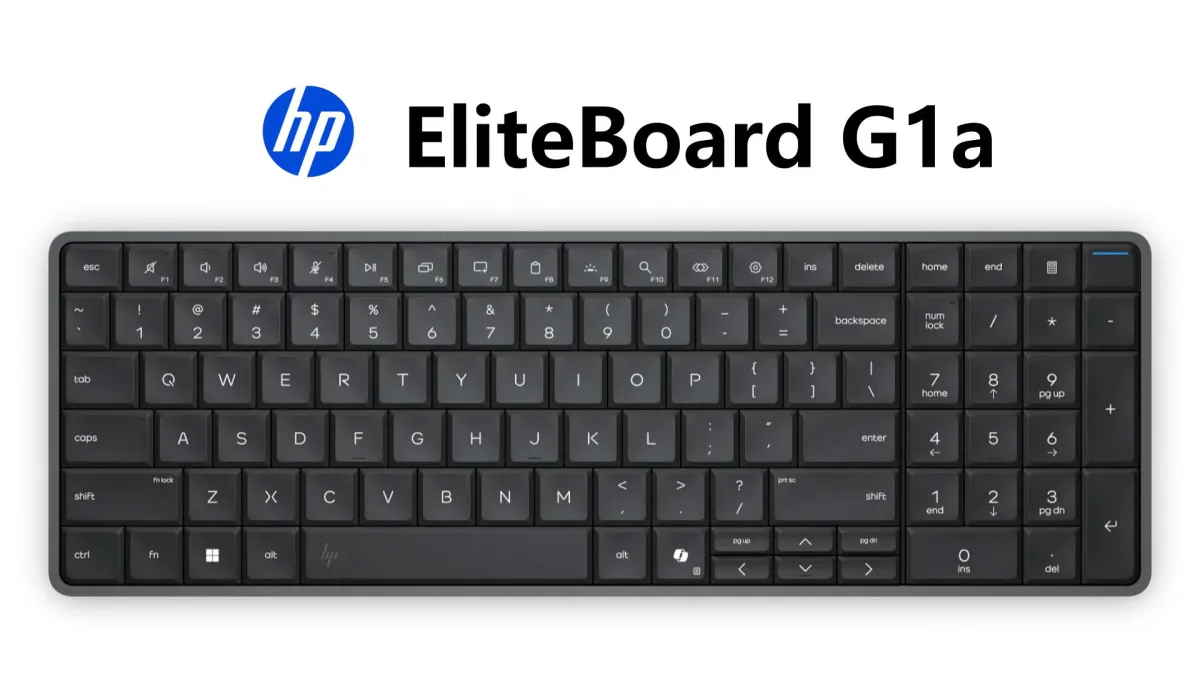
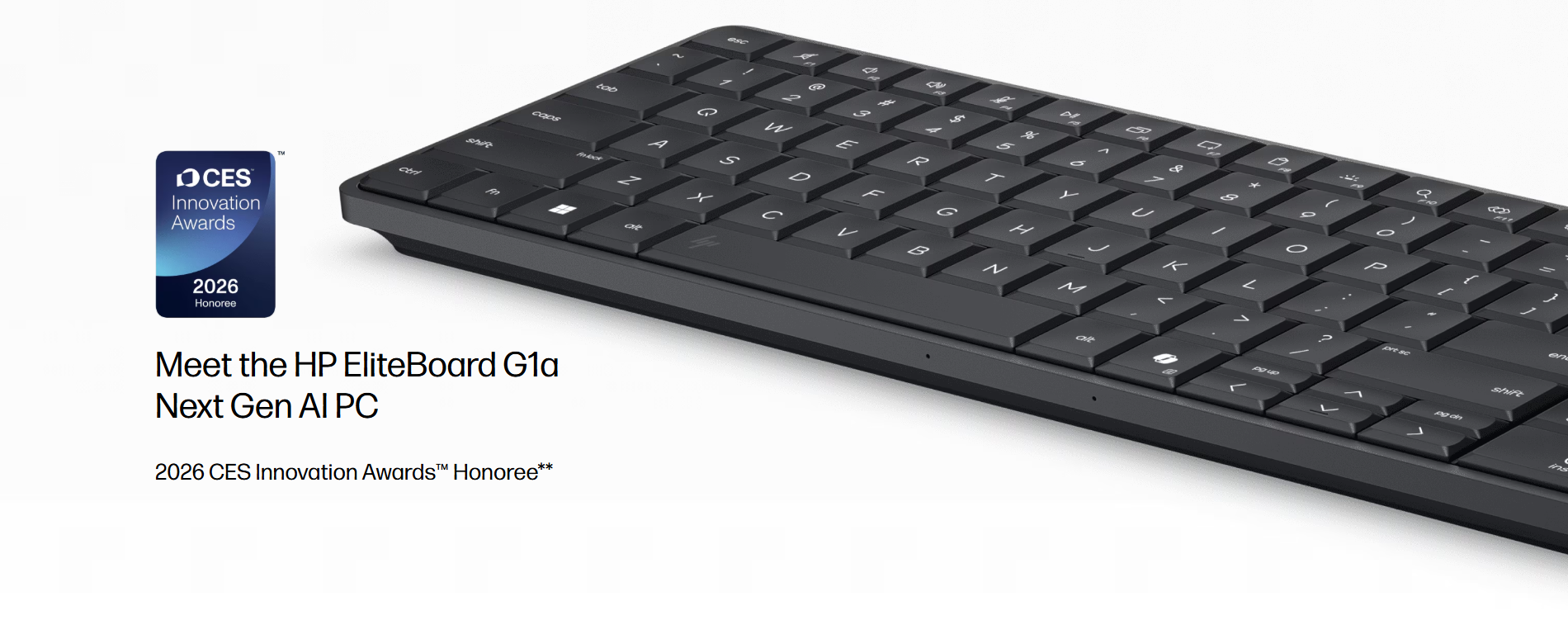
The EliteBoard G1a is exactly what it sounds like: a full Windows 11 Pro desktop computer built inside a keyboard. At about 17mm thick and 676 to 757 grams, it’s smaller and lighter than most laptops, but it has no display, no trackpad, and only two USB-C ports. You bring the monitor, the mouse, and the power adapter. HP provides the keyboard and everything else.
It’s a clever piece of engineering. Whether it’s a good product is a different question.
Specs Overview
Component | Specification |
|---|---|
Processor | AMD Ryzen AI 5 Pro 340 / AI 7 Pro 350 |
NPU | 50 TOPS (Ryzen AI 7 Pro 350) |
Memory | Up to 64GB DDR5 (user-replaceable) |
Storage | Up to 2TB PCIe Gen4 SSD (user-replaceable) |
Display Output | Two daisy-chained 4K displays |
Ports | 2x USB-C (1x 40Gbps USB4, 1x 10Gbps) |
Wireless | Wi-Fi 6E/7, Bluetooth |
Battery | Optional 32Wh (~3.5 hours) |
Weight | 676g (battery-free) – 757g (with battery) |
Dimensions | 358 × 119 × 18mm |
Durability | Spill-resistant, MIL-STD 810 |
Price | ~$2,390 / HK$15,799 |
Performance Benchmarks
Benchmark | EliteBoard G1a | EliteBook 8 G1a (laptop, same CPU) |
|---|---|---|
PCMark 10 | 6,378 | ~6,800 (est.) |
Geekbench 6 (Single) | 2,438 | ~2,550 |
Geekbench 6 (Multi) | 8,926 | ~9,300 |
NPU (TOPS) | 50 | 50 |
CapCut AI Image Gen | ~45 sec | ~40 sec |
The EliteBoard consistently scored slightly lower than its laptop counterpart—a likely trade-off due to the thermal constraints of the keyboard form factor.
What’s Inside Matters More Than What’s Outside
The EliteBoard G1a runs on AMD Ryzen AI 300-series processors, with options ranging from Ryzen AI 5 Pro 340 to the Ryzen AI 7 Pro 350. The top-tier chip features an NPU capable of 50 TOPS, meeting the Copilot+ PC standard. Memory goes up to 64GB DDR5 and storage maxes out at 2TB PCIe Gen4 SSD, both user-upgradeable.
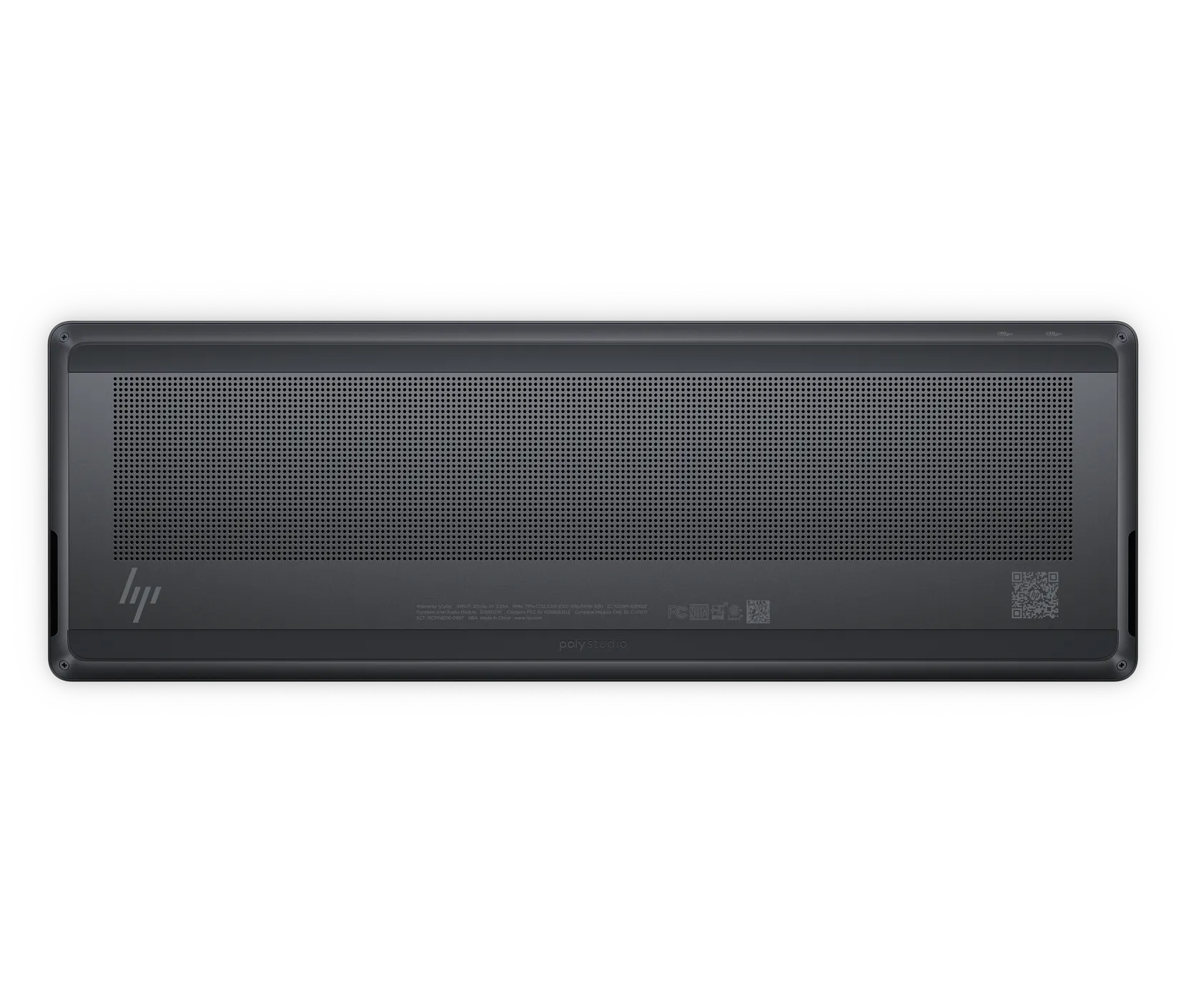
That’s legitimate desktop-class hardware in a keyboard chassis. HP claims the system can drive two daisy-chained 4K displays, and the compact motherboard inside is modular enough to swap RAM, SSD, battery, or speakers without needing a repair technician. For enterprise IT departments, that’s a selling point: a device that can be serviced in minutes rather than replaced.
Benchmarks confirm the performance. In PCMark 10, the EliteBoard G1a scored 6,378, easily passing the 4,000-point threshold for day-to-day productivity. Geekbench 6 single-core hit 2,438 with multi-core at 8,926. Those numbers are competitive with mid-range business laptops, not desktop workstations. The machine is built for office productivity, spreadsheet work, and AI-assisted tasks. It is not built for 3D rendering, video editing, or gaming.
The comparison with its laptop counterpart, the HP EliteBook 8 G1a 16, is telling. Both share the same processor and graphics, but the EliteBoard consistently scored lower in both single- and multi-core tests—a likely trade-off due to the thermal and noise constraints inherent in the keyboard form factor.
The Keyboard Is the PC—and That Creates Problems
The design is minimalist and easy to carry, but this comes with trade-offs.
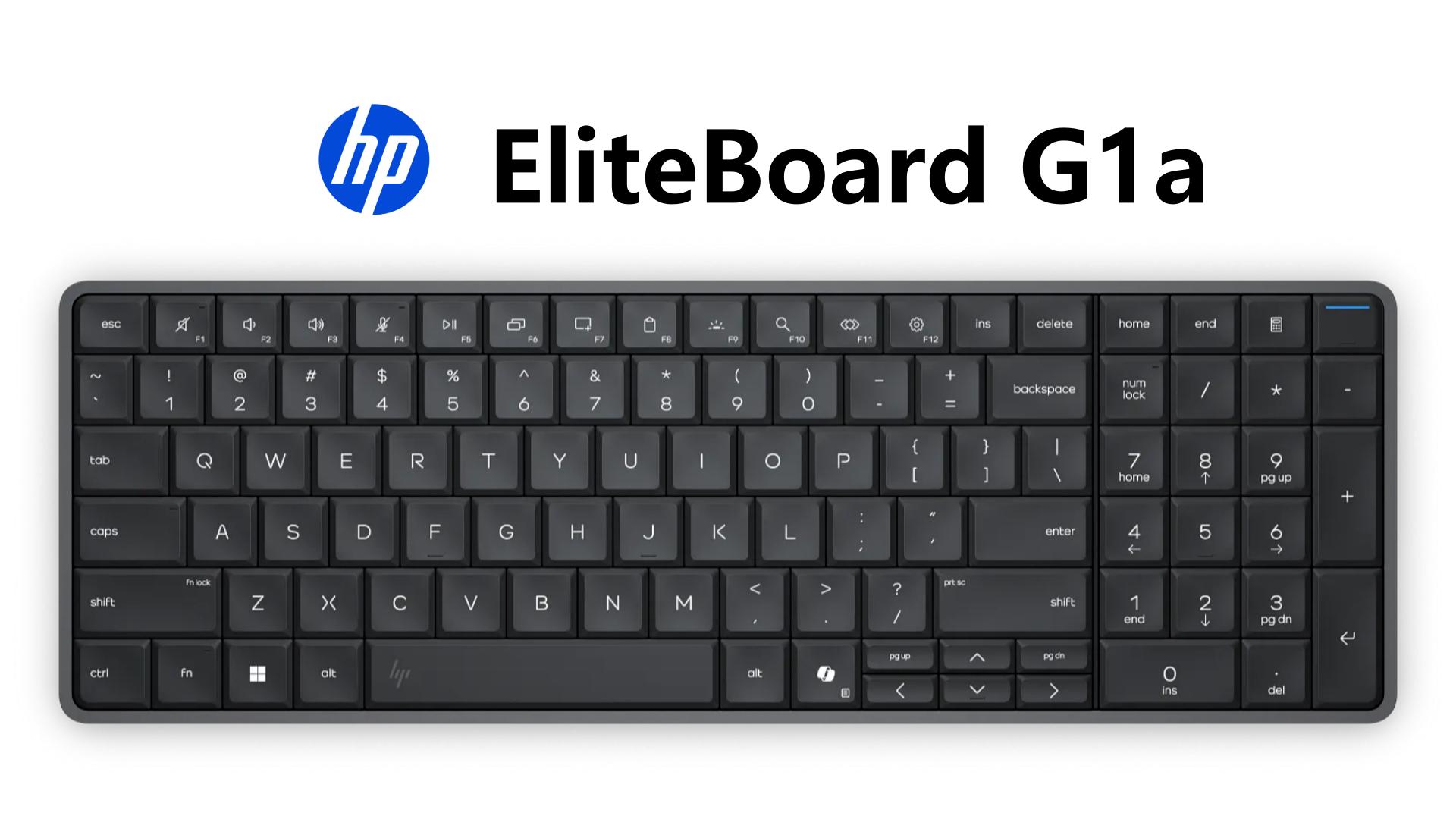
The keyboard itself has 2mm of key travel and uses quiet silicone dome switches, which feel comfortable but closer to a premium laptop keyboard than a mechanical desktop keyboard. Typing is quiet, but the feedback is soft. HP says the unit is low-noise certified at less than 22 decibels at idle and less than 25 decibels under load—impressively quiet for a full desktop. There’s no numpad on some models, and the layout takes some getting used to.
Port selection is very limited: only two USB-C ports, one supporting 40Gbps and the other 10Gbps. To connect multiple peripherals or an Ethernet cable, HP includes a compact HDMI Multi-Port Hub that attaches to your monitor. The hub carries video signal, power, and wired networking through a single USB-C cable going to the keyboard.
The optional 32Wh battery version lasts around 3.5 hours. HP also sells a battery-free version that’s lighter. Both versions require a power connection for full performance—the battery is more for short meetings or moving between desks than for all-day untethered work.
The Device’s Place in Hot-Desking and Hybrid Work
HP designed the EliteBoard G1a for the hybrid worker who moves between desks at the office and home but wants to keep their own keyboard, settings, and files. You plug into a monitor at each location, and you’re up and running with full performance.
In hot-desking environments, the EliteBoard offers two advantages: your own keyboard and a consistent computing environment. In shared workspaces where desks are used by different employees on different days, this eliminates the need to adjust to unfamiliar keyboards or use a separate laptop dock.
The mobility is different from a laptop. A laptop has its own screen and trackpad but usually lives closed and docked at a desk when connected to external monitors. The EliteBoard prioritizes that docked experience and removes the expense and weight of a screen you may rarely use.
For some businesses, this could be a useful alternative to standard mini PCs. For a consumer, it’s a more questionable purchase—you still need a monitor, keyboard (though you already have one), and mouse. The savings of $100 to $200 per seat, plus easier serviceability, are the main business justifications.
The Verdict: Clever Engineering, Narrow Audience
The HP EliteBoard G1a is a successful experiment in form factor design. It solves the problem of carrying a full PC between workspaces with minimal equipment. It’s serviceable, secure, and competent at its intended tasks.
But the target audience is limited to enterprise users in hot-desking environments, kiosk operators, and professionals who want to bring their own workspace to client offices or multiple home setups. For personal use, a laptop or a conventional mini PC is more versatile and often cheaper.
The EliteBoard is exactly what it claims to be: a keyboard that’s a PC. The question is whether that’s a category the world needs.
P.S. HP says the EliteBoard is the “world’s most serviceable keyboard PC,” and that claim holds up—users can replace RAM, SSD, battery, and even the keyboard module without specialized tools. It’s also spill-resistant and meets military durability standards. HP clearly designed this for IT departments, not consumers. The price confirms that.
Frequently Asked Questions
Q: What is the HP EliteBoard G1a?
A: The HP EliteBoard G1a is a full Windows 11 Pro desktop computer built into a keyboard housing. It includes an AMD Ryzen AI processor with 50 TOPS NPU, up to 64GB RAM, up to 2TB SSD, and is designed for hybrid workers who move between workspaces. It has no built-in display or touchpad .
Q: Who is the EliteBoard G1a for?
A: It’s aimed at enterprise users in hot-desking environments, kiosk operators, and professionals who travel between office and home while wanting a consistent computing setup . HP’s IT-friendly features, including user-upgradeable RAM and SSD, suggest a business focus.
Q: What are the key specs and performance?
A: AMD Ryzen AI 5/7 PRO processors, 50 TOPS NPU, up to 64GB DDR5 RAM, up to 2TB SSD. Benchmarks: PCMark 10 ~6,378, Geekbench 6 single-core 2,438, multi-core 8,926 . Best for office productivity and AI-assisted tasks.
Q: Is the EliteBoard G1a good for AI workloads?
A: The 50 TOPS NPU enables local AI features like real-time translation and Windows Studio Effects, but it’s not designed for heavy generative AI training . The AMD Ryzen AI Pro chip handles on-device AI efficiently.
Q: What ports does it have, and what are the connectivity options?
A: Two USB-C ports (one 40Gbps USB4, one 10Gbps) on the keyboard . HP includes a multi-port hub that attaches to your monitor for HDMI and Ethernet. Wi-Fi 6E/7 and Bluetooth are available.
Q: Is it easy to repair or upgrade?
A: Yes. HP emphasizes serviceability: users can replace RAM, SSD, battery, speakers, fan, and even the keyboard module without specialized tools . HP claims the keyboard module can be replaced in under 10 minutes.
Q: Does it have a battery, and how long does it last?
A: An optional 32Wh internal battery version lasts about 3.5 hours of active use . A battery-free version is lighter. Both require power for full performance.
Q: How does it compare to mini PCs and laptops?
A: Compared to mini PCs, the EliteBoard eliminates the separate box and many cables—but still requires a monitor and mouse . Compared to laptops, it lacks a built-in screen and trackpad but is lighter and suited for stationary or docked use.
Q: What is the price?
A: Pricing starts around HK$15,799 (about $2,390) for the AMD Ryzen AI 5 Pro 340 variant with 16GB RAM and 512GB SSD . This positions it as a premium enterprise product.
Q: Is the EliteBoard G1a durable?
A: HP claims it’s spill-resistant and passes MIL-STD 810 durability tests . It also includes HP Wolf Security for Business for hardware-enforced security and BIOS-level protection .