
On November 28, 2026, Alibaba's Qwen team released Qwen Code 0.29.0, a stable update to its coding agent that changes where it looks for project memory when it opens a temporary Git checkout. The agent can work in the new checkout without starting with an empty set of project notes. The versioned CLI downloads cover macOS, Linux and Windows.
A Git worktree gives a branch a separate folder while sharing the underlying repository. That is useful when two tasks need to edit the same codebase without touching each other's working files. But a separate folder is also a new path. If the agent looks up everything by its current path, moving the files can accidentally change the notes it reads. Qwen's update makes the path used for editing and the path used to choose memory separate decisions.
The checkout can change without changing the project's notes
The implementation review describes two cases that now behave differently. When you launch a session from your workspace and have Qwen open a task worktree, Qwen keeps the memory library of the directory where that session started. When you go to another linked checkout yourself and start a new session directly from that location, the new session uses the library for that path instead. For sessions served by the daemon, the registered workspace provides the starting identity.
Consider a monorepo with a frontend workspace and a backend workspace. A frontend task may use a throwaway worktree for a fix that takes an afternoon. It should still see the frontend workspace's saved conventions, and a useful note saved during that task should be available to a later session started from that frontend workspace. But a developer launching a session directly in a different linked checkout should not expect that checkout to inherit the notes simply because the Git history is shared.
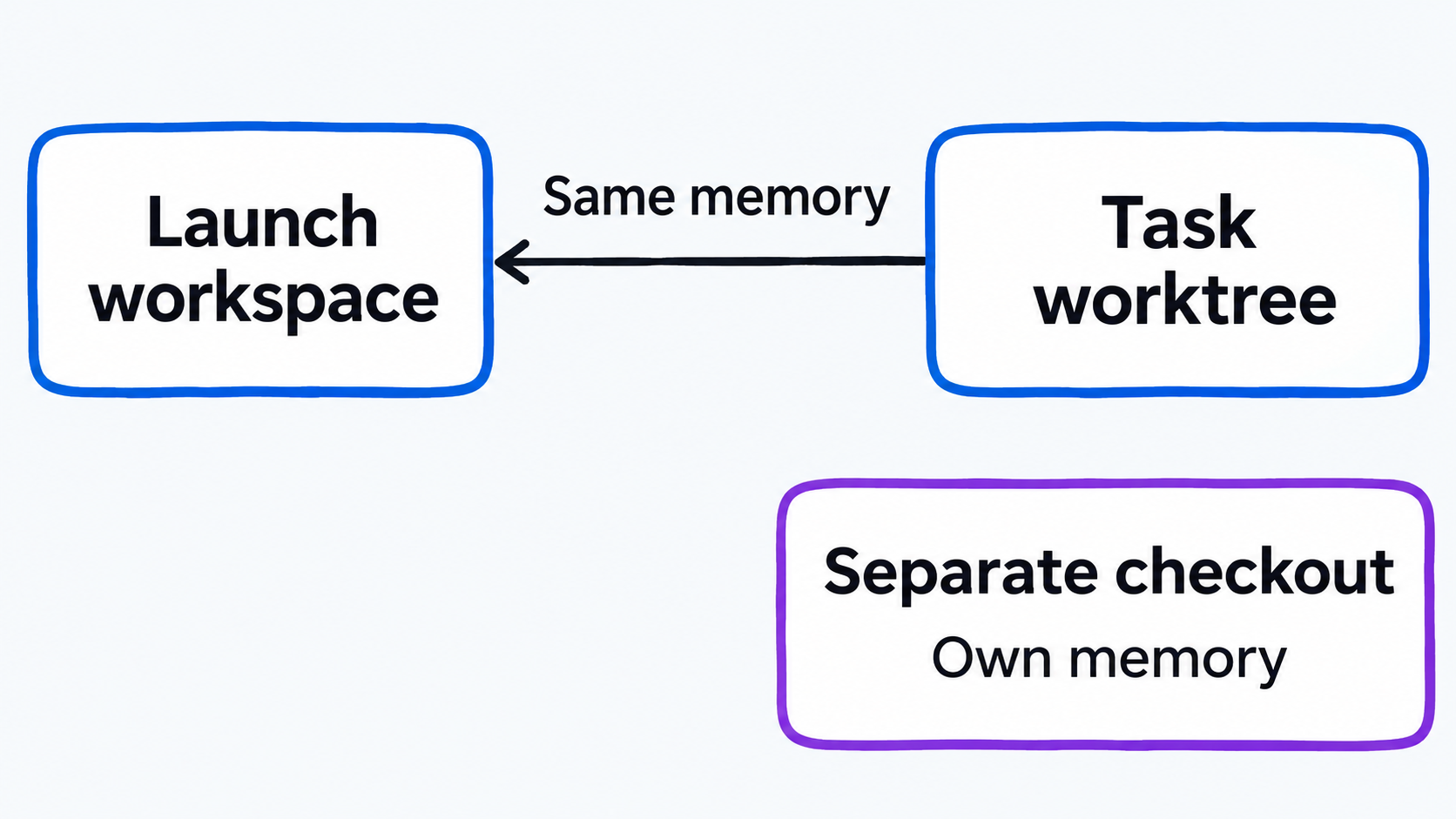
That is the useful distinction: temporary isolation for code changes without automatic sharing between independently started workspaces. It also means the new behavior is not equivalent to backing up a conversation or syncing notes across computers. The change concerns the project auto-memory library, not a promise that every new thread will replay the earlier chat or that every saved note is correct.
Older notes still need a choice
If a previous version stored useful notes under a task checkout's own path, the release does not assume you want to consolidate them. In the destination workspace, the new /memory migrate-worktree <old-path> command helps bring material over from one selected library. The implementation documentation describes a model-generated plan, a preview of proposed changes and conflicts, and an explicit confirmation before changes are applied. The source library stays intact.
There is a practical reason for that extra review. A note about a temporary test fixture may be true in the branch that generated it but wrong for the normal workspace. Similarly, two versions of a build instruction may be individually correct at different commits and contradictory when pooled. For a team cleaning up older worktrees, the safer use is to bring over the few durable findings it still wants, not to treat migration as an automatic archive restore.
Migration also differs from the normal act of opening a worktree. The latter selects an existing library for the task. The former reads selected source material for a model call and proposes changes to a destination library. Before using migration on old project notes, check what those notes contain and whether the model configured for the session is appropriate for that material.
What the release establishes, and what it doesn't
The maintainers' review describes a before-and-after experiment with real Git checkouts and a controlled local model on macOS. They reported that the older build missed the starting workspace's catalog inside the task checkout and that the candidate build used it there. They also checked that a new session from a separately linked checkout retained its own library. The review lists Windows and Linux as CI targets. Those tests support the memory-routing behavior; they do not measure the quality of remembered notes on a real project, and SUPERCRZY has not benchmarked the behavior across operating systems.
The same version adds controls for session-bound scheduled tasks in Web Shell and recovery for certain interrupted turns in the Hosted Harness, according to the release notes. Those are separate features, not prerequisites for the worktree change. For developers who regularly put agent work on disposable branches, the immediate question is simpler: can the next session still find the conventions that belonged to the workspace that started the job? In the new stable build, that is the behavior Qwen is explicitly targeting.
P.S. If a note matters to every contributor, put it in the project's shared documentation. An agent's private memory and a convention the team has agreed to are not the same thing.
Frequently Asked Questions
Q: What changed in Qwen Code 0.29.0?
A: A task worktree now retains the project auto-memory library of the workspace that launched the session.
Q: Does a separate linked checkout use the same memory?
A: Not by default. A new session started directly in that checkout uses the library for its own path.
Q: Will old worktree notes move automatically?
A: No. The migration command proposes changes from one selected library, and the user must confirm the plan.
Q: Does migrating notes delete the source library?
A: No. The selected source library is retained.
Q: Is this cloud sync or chat-history backup?
A: No. The release changes how Qwen Code chooses project auto-memory when launching and using task worktrees.